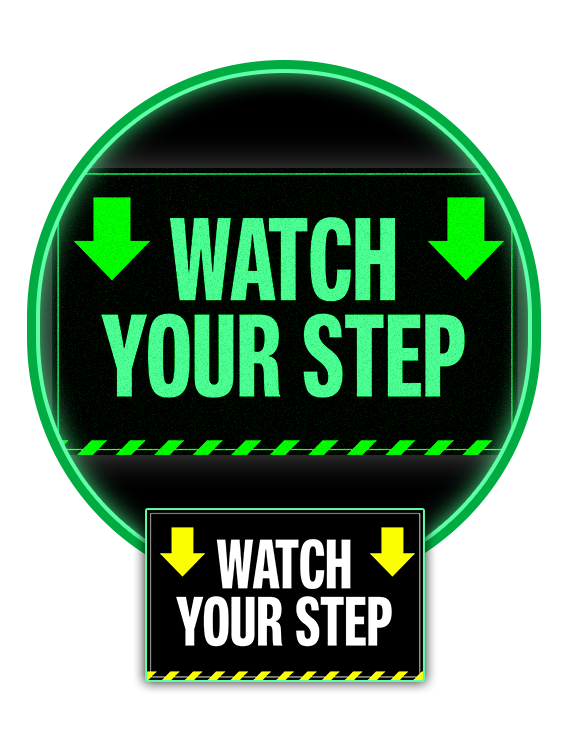
Glow-in-the-dark signs provide 24/7 visibility without electricity. Perfect for safety signage, event branding, or directional displays, they ensure your message is seen clearly in low-light conditions. Printed on sturdy, high-quality materials, these signs are built to last while delivering peace of mind and attention-grabbing appeal.
Need a sign that stands out in daylight and after dark? Our designers know how to balance readability, safety standards, and visual impact. We’ll create a professional layout that glows when it matters most.
Glo Brite Decal (Permanent)
We do tons of glow-in-the-dark sign printing, and we have streamlined the process to make it as easy as possible. Just download the glow-in-the-dark sign template for the size and application format you need, create your artwork, and upload your design to print.
If you are doing a custom size or do not see a template in the application you are using, please be sure to use the following specifications to design your glow-in-the-dark sign.
To ensure the best print results on posters, mounted prints, foam board, coroplast, and rigid sign products, follow these file setup guidelines when preparing your artwork:
Resolution: 150-300 dpi at final size
Bleed: 1/8 inch (.125 inch) on all sides if artwork runs to edge
Color Mode: CMYK preferred
File Format: High-resolution PDF or JPG
• Files must be built at final trim size plus bleed if needed
• Extend background colors or images .125 inch past the trim edge to avoid white borders
• Keep important text at least .25 inch inside the trim edge
• Large format files are often rasterized during production - high-resolution JPG files are acceptable
• RGB files will be converted to CMYK and slight color shifts may occur
• Turn off compression or downsampling when exporting to preserve image quality
Build document at final size plus .125 inch bleed if needed
File > Export
Choose Adobe PDF (Print)
Select Press Quality or High Quality preset
Under Marks and Bleeds: Use Document Bleed Settings (.125 inch)
Click Export
Set document to final size at 150-300 dpi
Add .125 inch to each side if bleed is required
File > Save As
Choose JPEG (Maximum Quality) or PDF
Click Save
Large format prints are viewed from a greater distance, but they still require high-resolution artwork to look sharp and professional. Proper bleed and file setup prevent unwanted white edges and production delays. If you have any questions, call 877-613-1913 - we are here to help.
Using our glow-in-the-dark sign template is simple. Just download the size and application format you need, create your artwork, and upload your design to print.
Glow-in-the-dark signs provide 24/7 visibility without electricity. Perfect for safety signage, event branding, or directional displays, they ensure your message is seen clearly in low-light conditions. Printed on sturdy, high-quality materials, these signs are built to last while delivering peace of mind and attention-grabbing appeal.
Need a sign that stands out in daylight and after dark? Our designers know how to balance readability, safety standards, and visual impact. We’ll create a professional layout that glows when it matters most.
Glo Brite Decal (Permanent)
Custom Shape Cut
Digital Proof
Large Easel Back
Lawn Stakes
Mount
Small Easel Back
Variable Artwork
We do tons of glow-in-the-dark sign printing, and we have streamlined the process to make it as easy as possible. Just download the glow-in-the-dark sign template for the size and application format you need, create your artwork, and upload your design to print.
If you are doing a custom size or do not see a template in the application you are using, please be sure to use the following specifications to design your glow-in-the-dark sign.
To ensure the best print results on posters, mounted prints, foam board, coroplast, and rigid sign products, follow these file setup guidelines when preparing your artwork:
Resolution: 150-300 dpi at final size
Bleed: 1/8 inch (.125 inch) on all sides if artwork runs to edge
Color Mode: CMYK preferred
File Format: High-resolution PDF or JPG
• Files must be built at final trim size plus bleed if needed
• Extend background colors or images .125 inch past the trim edge to avoid white borders
• Keep important text at least .25 inch inside the trim edge
• Large format files are often rasterized during production - high-resolution JPG files are acceptable
• RGB files will be converted to CMYK and slight color shifts may occur
• Turn off compression or downsampling when exporting to preserve image quality
Build document at final size plus .125 inch bleed if needed
File > Export
Choose Adobe PDF (Print)
Select Press Quality or High Quality preset
Under Marks and Bleeds: Use Document Bleed Settings (.125 inch)
Click Export
Set document to final size at 150-300 dpi
Add .125 inch to each side if bleed is required
File > Save As
Choose JPEG (Maximum Quality) or PDF
Click Save
Large format prints are viewed from a greater distance, but they still require high-resolution artwork to look sharp and professional. Proper bleed and file setup prevent unwanted white edges and production delays. If you have any questions, call 877-613-1913 - we are here to help.
Using our glow-in-the-dark sign template is simple. Just download the size and application format you need, create your artwork, and upload your design to print.
Click the button below to view our locations and hours
Location and Hours© 2026, M13 Inc. All Rights Reserved.