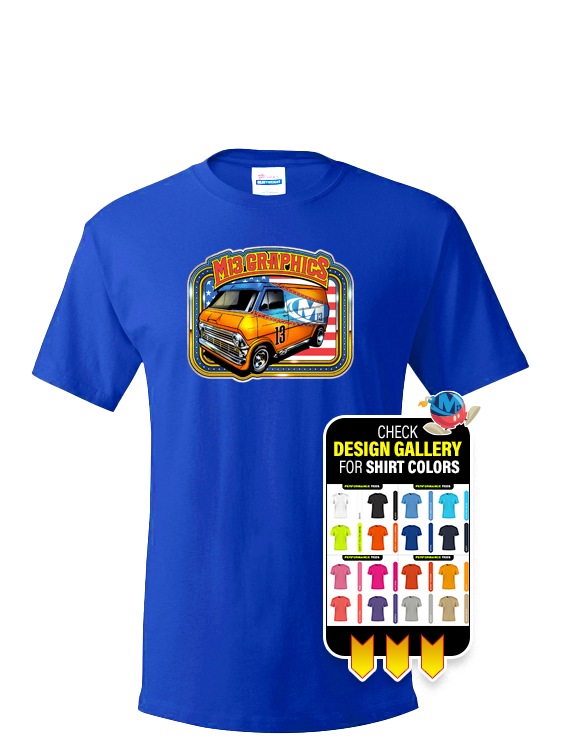
Already have the apparel? Bring it to us and we’ll professionally decorate it. Our Customer Supplied Apparel Printing service allows you to provide your own shirts, hoodies, jackets, hats, tote bags, uniforms, and many other printable items while we handle the printing.
Whether you’ve purchased apparel elsewhere, have specialty garments that are difficult to source, or simply want to use products you already own, we can apply your logo, artwork, or custom design using the most appropriate decoration method for your item. Every order is reviewed before production to help ensure compatibility with the printing process.
Customer-supplied items must be new, clean, and suitable for printing. Because fabrics and materials vary, all customer-supplied apparel is decorated at the customer’s risk. While we take every precaution to protect your items, we cannot guarantee or replace garments if they become damaged during production.
View our Apparel Printing services.
Need artwork or print-ready files? Our graphic designers can create new artwork or prepare your existing logo for apparel printing. We’ll optimize your design for the decoration method being used to produce the best possible results on your supplied garments or products.
DTF Matte Film
We do tons of customer supplied apparel printing, and we have streamlined the process to make it as easy as possible. Just download the customer supplied apparel template for the size and application format you need, create your artwork, and upload your design to print.
If you are doing a custom size or do not see a template in the application you are using, please be sure to use the following specifications to design your customer supplied apparel.
To ensure the best print results on apparel and UV DTF products, follow these file setup guidelines when preparing your artwork:
Resolution: 300 dpi at final print size
Background: Must be transparent where you do not want white ink printed
Color Mode: CMYK preferred (RGB PNG accepted)
File Format: PDF preferred, high-resolution PNG with transparency accepted
• Do not include a white background unless you intentionally want white printed
• Any area that is not transparent may print white ink underneath
• RGB PNG files will be converted to CMYK and colors may shift slightly
• Some PNG exports reduce resolution - always confirm 300 dpi at final size
• Avoid extremely small text or thin lines that may not transfer cleanly to fabric
File > Export
Choose Adobe PDF (Print)
Select preset: Press Quality
Ensure background elements are removed where transparency is needed
Click Export
Remove background layer
Confirm transparent areas show as checkerboard
File > Save As
Choose Photoshop PDF or PNG (with transparency enabled)
Confirm 300 dpi resolution
Click Save
DTF printing applies white ink under color. If backgrounds are not properly removed, unwanted white boxes will print. Supplying clean, high-resolution artwork ensures vibrant color and sharp detail on your finished apparel. If you have any questions, give us a call at 877-613-1913 - we are here to help.
Using our customer supplied apparel template is simple. Just download the size and application format you need, create your artwork, and upload your design to print.
SIZE (W x H)
Photoshop
T-Shirt
Already have the apparel? Bring it to us and we’ll professionally decorate it. Our Customer Supplied Apparel Printing service allows you to provide your own shirts, hoodies, jackets, hats, tote bags, uniforms, and many other printable items while we handle the printing.
Whether you’ve purchased apparel elsewhere, have specialty garments that are difficult to source, or simply want to use products you already own, we can apply your logo, artwork, or custom design using the most appropriate decoration method for your item. Every order is reviewed before production to help ensure compatibility with the printing process.
Customer-supplied items must be new, clean, and suitable for printing. Because fabrics and materials vary, all customer-supplied apparel is decorated at the customer’s risk. While we take every precaution to protect your items, we cannot guarantee or replace garments if they become damaged during production.
Need artwork or print-ready files? Our graphic designers can create new artwork or prepare your existing logo for apparel printing. We’ll optimize your design for the decoration method being used to produce the best possible results on your supplied garments or products.
DTF Matte Film
Customer Supplied Apparel
Digital Proof
Press and Imprint Locations
Shrink Wrapping
We do tons of customer supplied apparel printing, and we have streamlined the process to make it as easy as possible. Just download the customer supplied apparel template for the size and application format you need, create your artwork, and upload your design to print.
If you are doing a custom size or do not see a template in the application you are using, please be sure to use the following specifications to design your customer supplied apparel.
To ensure the best print results on apparel and UV DTF products, follow these file setup guidelines when preparing your artwork:
Resolution: 300 dpi at final print size
Background: Must be transparent where you do not want white ink printed
Color Mode: CMYK preferred (RGB PNG accepted)
File Format: PDF preferred, high-resolution PNG with transparency accepted
• Do not include a white background unless you intentionally want white printed
• Any area that is not transparent may print white ink underneath
• RGB PNG files will be converted to CMYK and colors may shift slightly
• Some PNG exports reduce resolution - always confirm 300 dpi at final size
• Avoid extremely small text or thin lines that may not transfer cleanly to fabric
File > Export
Choose Adobe PDF (Print)
Select preset: Press Quality
Ensure background elements are removed where transparency is needed
Click Export
Remove background layer
Confirm transparent areas show as checkerboard
File > Save As
Choose Photoshop PDF or PNG (with transparency enabled)
Confirm 300 dpi resolution
Click Save
DTF printing applies white ink under color. If backgrounds are not properly removed, unwanted white boxes will print. Supplying clean, high-resolution artwork ensures vibrant color and sharp detail on your finished apparel. If you have any questions, give us a call at 877-613-1913 - we are here to help.
Using our customer supplied apparel template is simple. Just download the size and application format you need, create your artwork, and upload your design to print.
SIZE (W x H)
Photoshop
T-Shirt
© 2026, M13 Inc. All Rights Reserved.